There should be a little drop down next to reply where the original poster can mark it as 'Best Answer'. I see you're not the original poster so that might be why you don't have the option. No problem. :-). I'm sure the post as it should help the next person to a solution.
Original Message:
Sent: 12-16-2025 13:38
From: eiosan Support
Subject: The server tab is disabled after registering with OPS
Though I am Ex-Hitachi Vantaran . I am new to the community , and would like to know how to mark it as the solution
------------------------------
eiosan Support
Equifax, Inc.
------------------------------
Original Message:
Sent: 12-16-2025 13:21
From: William Jansen Van Nieuwenhuizen
Subject: The server tab is disabled after registering with OPS
Thats very kind of you to share back to the community, thank you!
------------------------------
William Jansen Van Nieuwenhuizen
Hitachi Vantara
Original Message:
Sent: 12-16-2025 13:05
From: eiosan Support
Subject: The server tab is disabled after registering with OPS
Hello William,
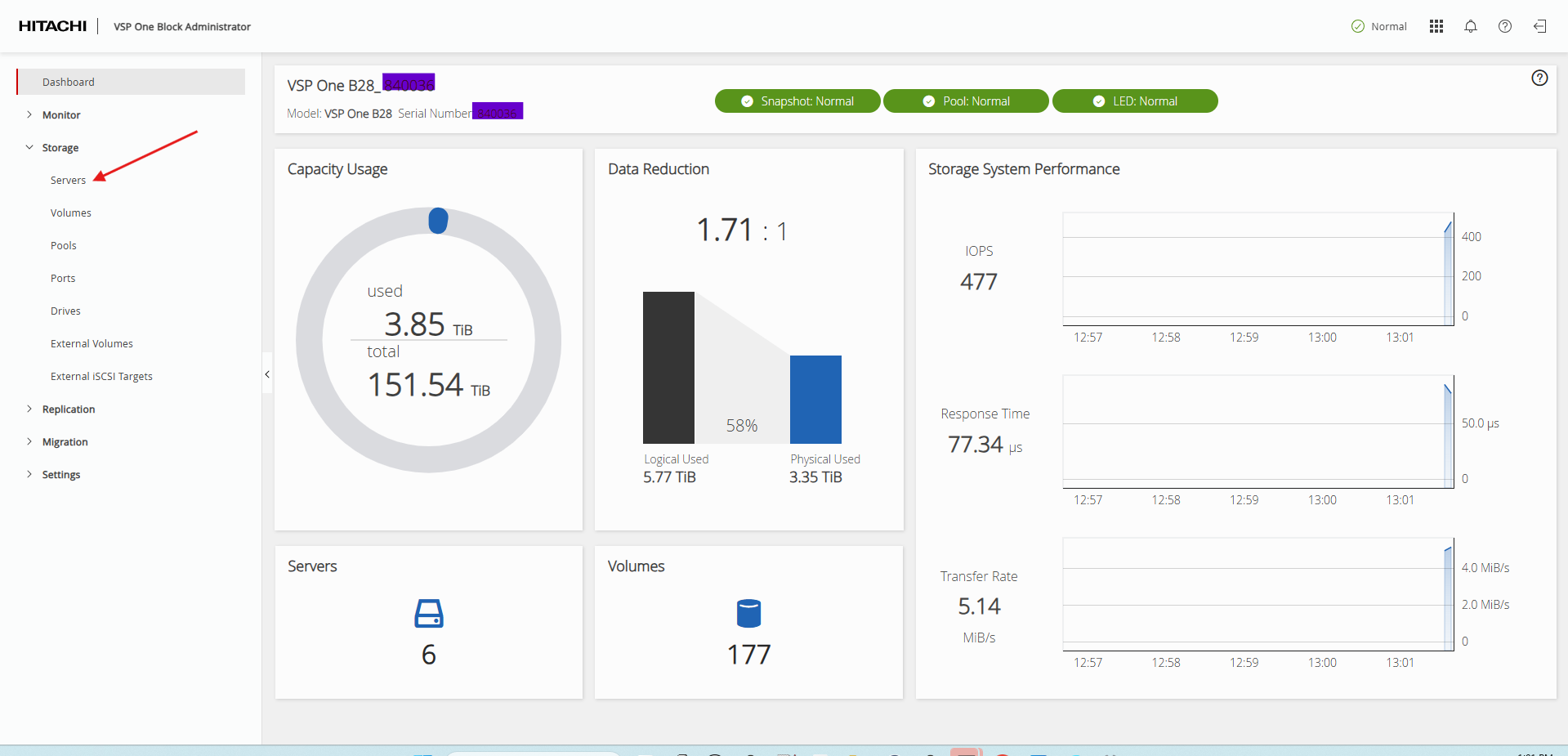
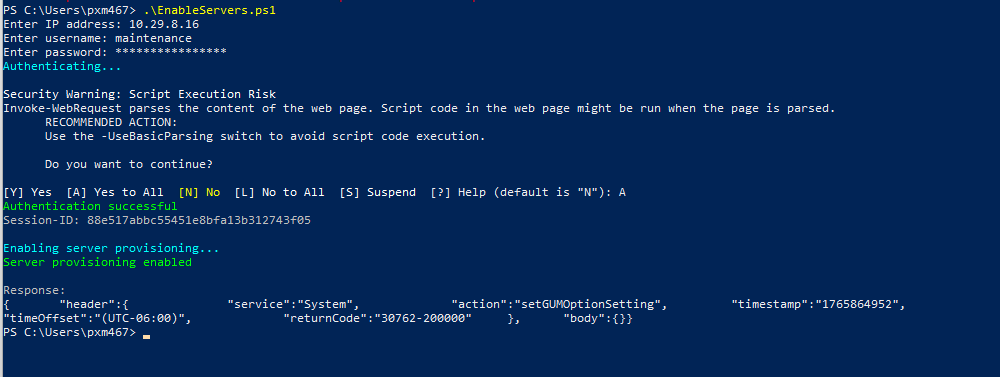
I ran the PowerShell script and is absolutely worked Though I have changed few settings to disable the Certificate check. You made my day. Thank You very Much.! Much appreciated.! Below is the snippet for reference.!
------------------------------
eiosan Support
Equifax, Inc.
Original Message:
Sent: 12-16-2025 08:53
From: William Jansen Van Nieuwenhuizen
Subject: The server tab is disabled after registering with OPS
Hello
You can also enable it via the RestAPI. I've created a simple powershell script you can use to enable it too.
# Hitachi Array - Enable Server Provisioning
# Prompt for credentials
$ip = Read-Host "Enter IP address"
$username = Read-Host "Enter username"
$password = Read-Host "Enter password" -AsSecureString
$passwordPlain = [Runtime.InteropServices.Marshal]::PtrToStringAuto(
    [Runtime.InteropServices.Marshal]::SecureStringToBSTR($password)
)

# Ignore SSL certificate errors (self-signed certificates)
if (-not ([System.Management.Automation.PSTypeName]'TrustAllCertsPolicy').Type) {
    add-type @"
        using System.Net;
        using System.Net.Security;
        using System.Security.Cryptography.X509Certificates;
        public class TrustAllCertsPolicy : ICertificatePolicy {
            public bool CheckValidationResult(
                ServicePoint svcPt, X509Certificate cert,
                WebRequest req, int problem) {
                return true;
            }
        }
"@
    [System.Net.ServicePointManager]::CertificatePolicy = New-Object TrustAllCertsPolicy
}

[Net.ServicePointManager]::SecurityProtocol = [Net.SecurityProtocolType]::Tls12

$url = "https://$ip/cgi-bin/easygui.cgi"

# Step 1: Login
Write-Host "Authenticating..." -ForegroundColor Cyan

$authString = [Convert]::ToBase64String([Text.Encoding]::ASCII.GetBytes("${username}:${passwordPlain}"))
$loginPayload = '{"header":{"service":"Auth", "action":"login", "returnCode":""}, "body":{"userId": "' + $username + '","password": "' + $passwordPlain + '"}}'

$loginHeaders = @{
    'Content-Type' = 'text/plain;charset=UTF-8'
    'Accept' = '*/*'
    'Accept-Language' = 'en-US,en;q=0.9,nl;q=0.8'
    'Authorization' = "Basic $authString"
}

try {
    $session = New-Object Microsoft.PowerShell.Commands.WebRequestSession

    $loginResponse = Invoke-WebRequest -Uri $url -Method POST -Headers $loginHeaders -Body $loginPayload -WebSession $session
    $sessionId = $loginResponse.Headers['Session-ID']

    if (-not $sessionId) {
        Write-Host "Failed to retrieve Session-ID" -ForegroundColor Red
        exit 1
    }

    Write-Host "Authentication successful" -ForegroundColor Green
    Write-Host "Session-ID: $sessionId`n" -ForegroundColor Gray

    # Step 2: Enable Server Provisioning
    Write-Host "Enabling server provisioning..." -ForegroundColor Cyan

    $provisionPayload = '{ "header": { "service": "System", "action": "setGUMOptionSetting", "returnCode": "" }, "body": { "options": {  "SAEProvisioningEnable": "1" }}}'

    $provisionHeaders = @{
        'Session-ID' = $sessionId
        'Content-Type' = 'text/plain;charset=UTF-8'
        'Accept' = '*/*'
        'Accept-Language' = 'en-US,en;q=0.9,nl;q=0.8'
    }

    $provisionResponse = Invoke-WebRequest -Uri $url -Method POST -Headers $provisionHeaders -Body $provisionPayload -WebSession $session

    Write-Host "Server provisioning enabled" -ForegroundColor Green
    Write-Host "`nResponse:" -ForegroundColor Gray
    Write-Host $provisionResponse.Content

} catch {
    Write-Host "Error: $_" -ForegroundColor Red
    if ($_.Exception.Response) {
        $reader = New-Object System.IO.StreamReader($_.Exception.Response.GetResponseStream())
        $responseBody = $reader.ReadToEnd()
        Write-Host "Response body: $responseBody" -ForegroundColor Yellow
    }
    exit 1
}
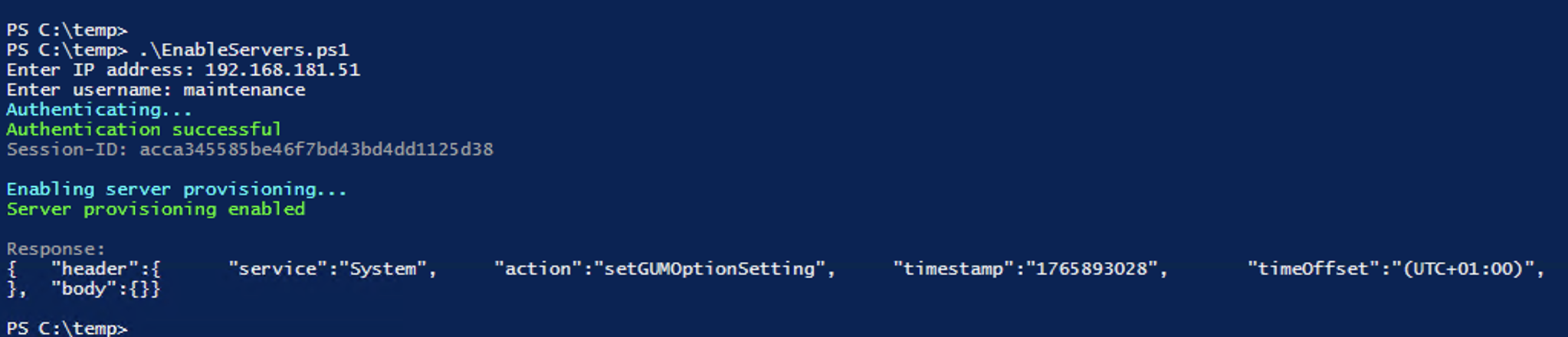
Here is a snip of what it should look like. It's important that you use a user that has the right to change the system options like the maintenance user:
If this helped you, consider marking it as the solution as it might help others too.
------------------------------
William Jansen Van Nieuwenhuizen
Hitachi Vantara
Original Message:
Sent: 03-14-2025 07:20
From: Antonius Schwefer
Subject: The server tab is disabled after registering with OPS
Hi Glauk,
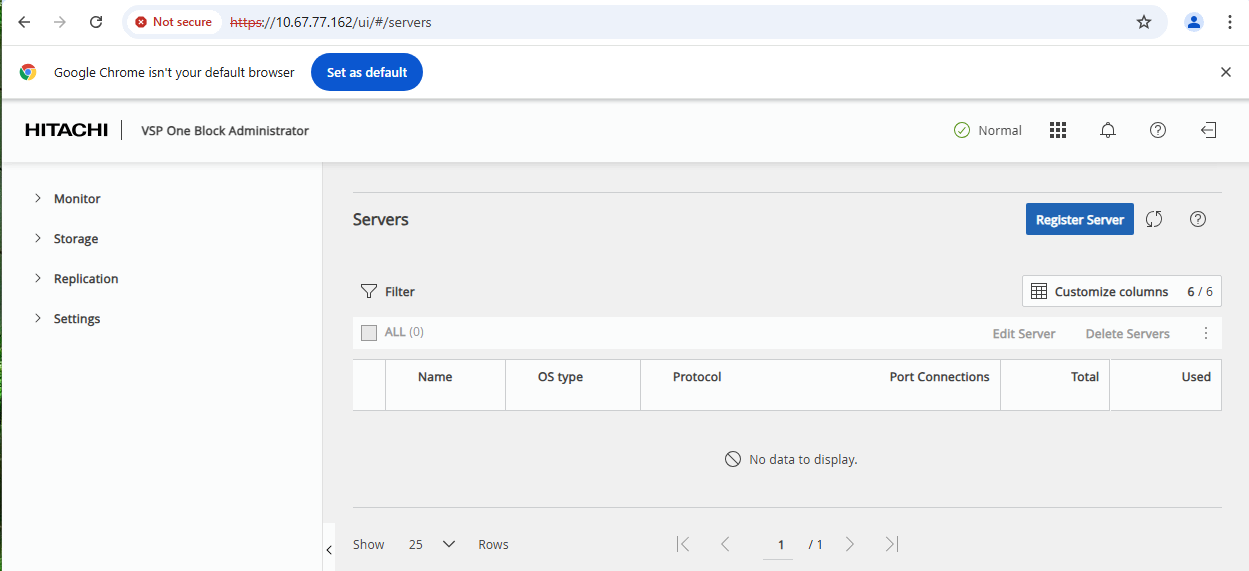
just take the URL https://<CTL-IP>/ui/#/servers in the browser, where the <CTL-IP> is the IP of the controller with the active ESM or the Service-IP.
Then you will see the Server-Tab temporary again.
If you want to make it visible permanently, you have to run a MPC procedure.
Cheers
Toni
------------------------------
Antonius Schwefer
Hitachi Vantara